
How-to guide
Uninstall
Follow the instructions below to uninstall Sincere from your device:
Via PlayStore
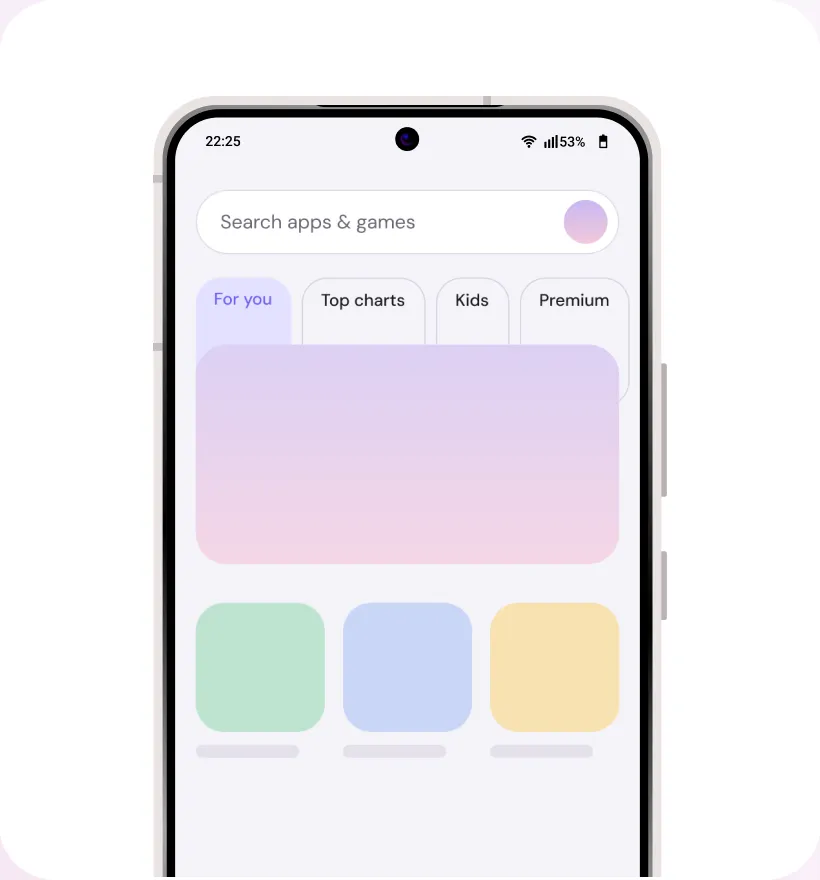
Step 1
Find and open the “Google Play store” app
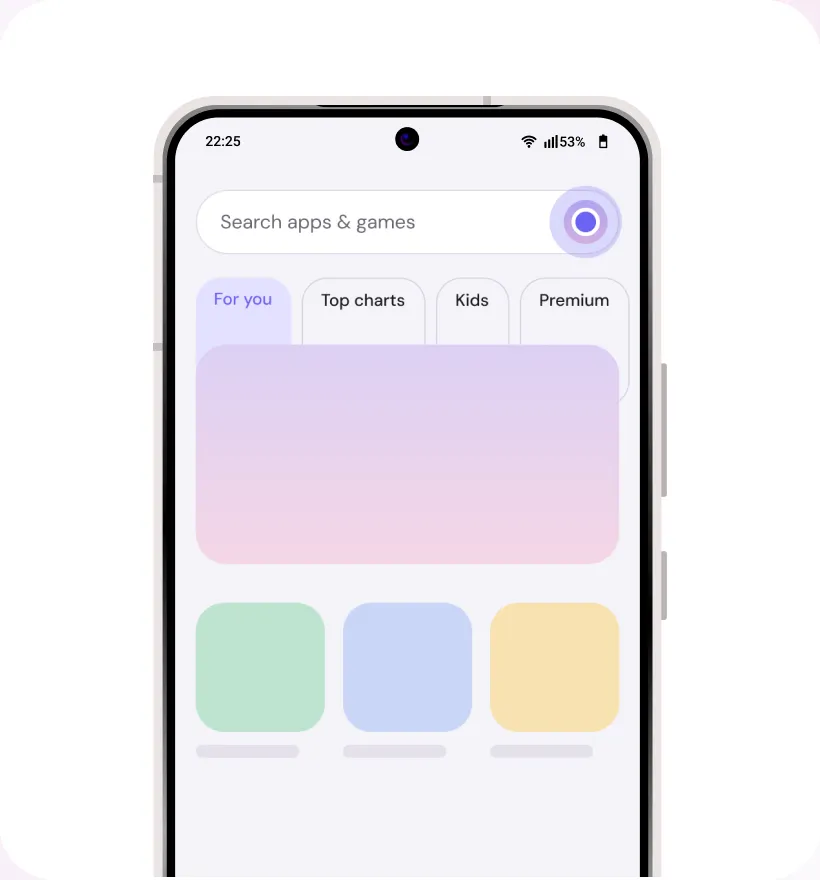
Step 2
Locate your “Profile” in the top right corner
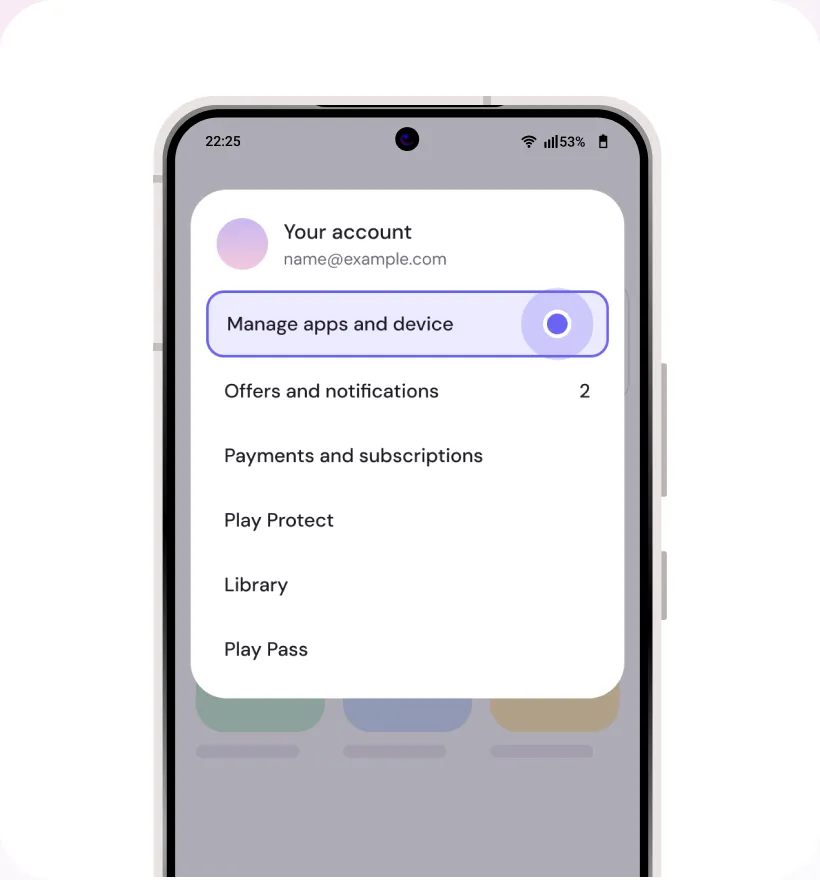
Step 3
Click it open and go to “Manage apps & devices” section
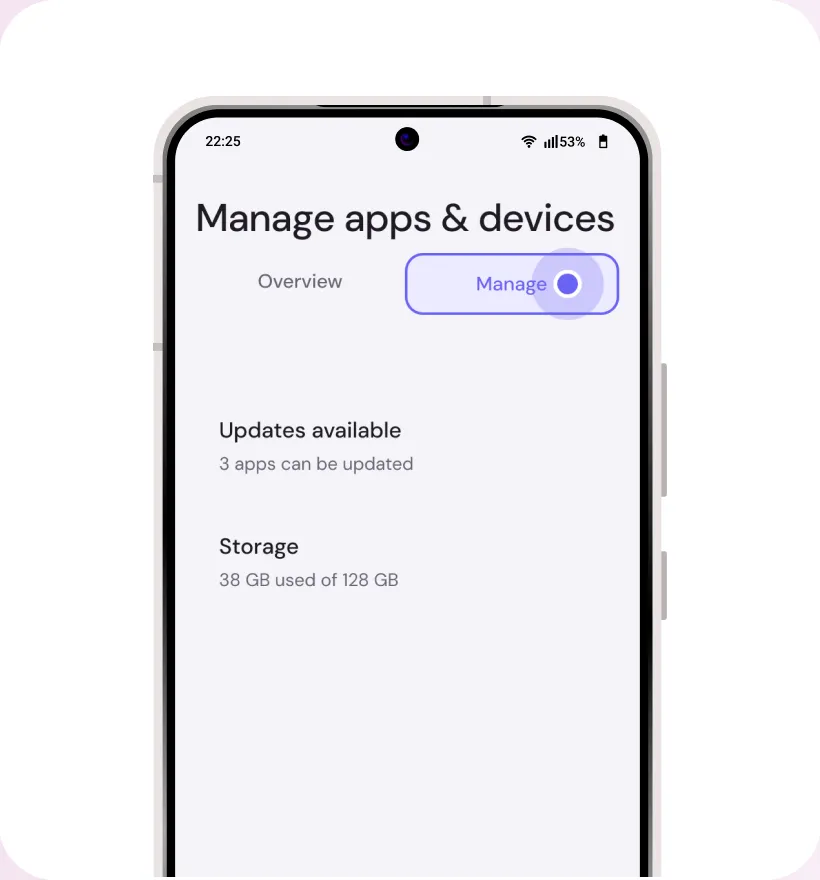
Step 4
Select the “Manage” tab to view apps on your device
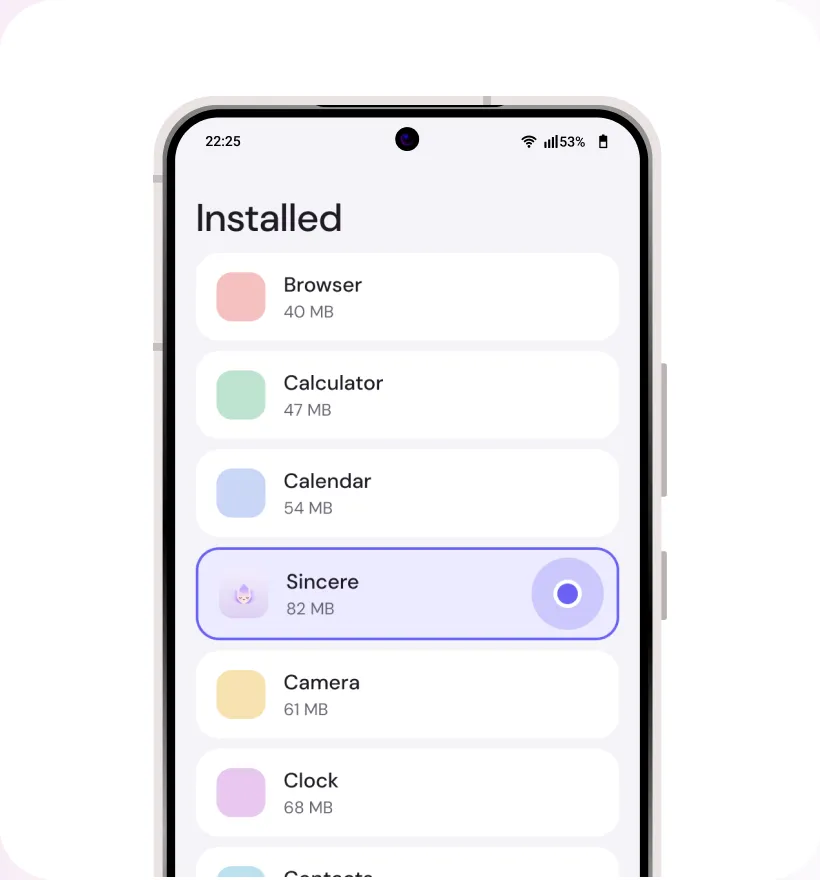
Step 5
Scroll down till you find the name of the app to be uninstalled
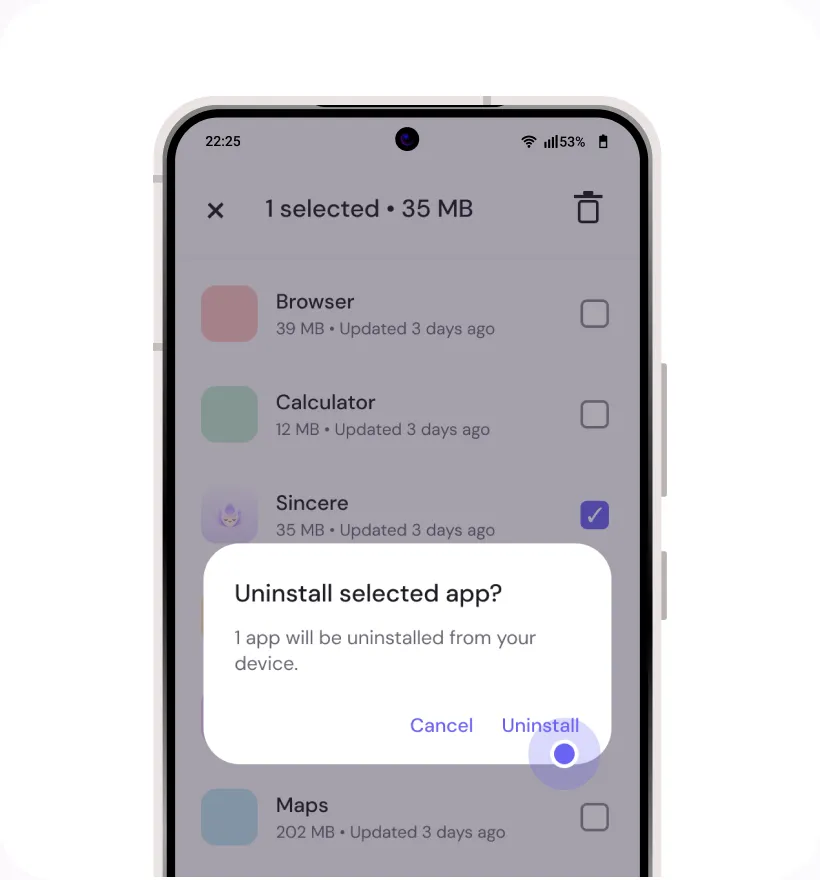
Step 6
Tap on it and then select the trash icon to “Uninstall” app
Samsung
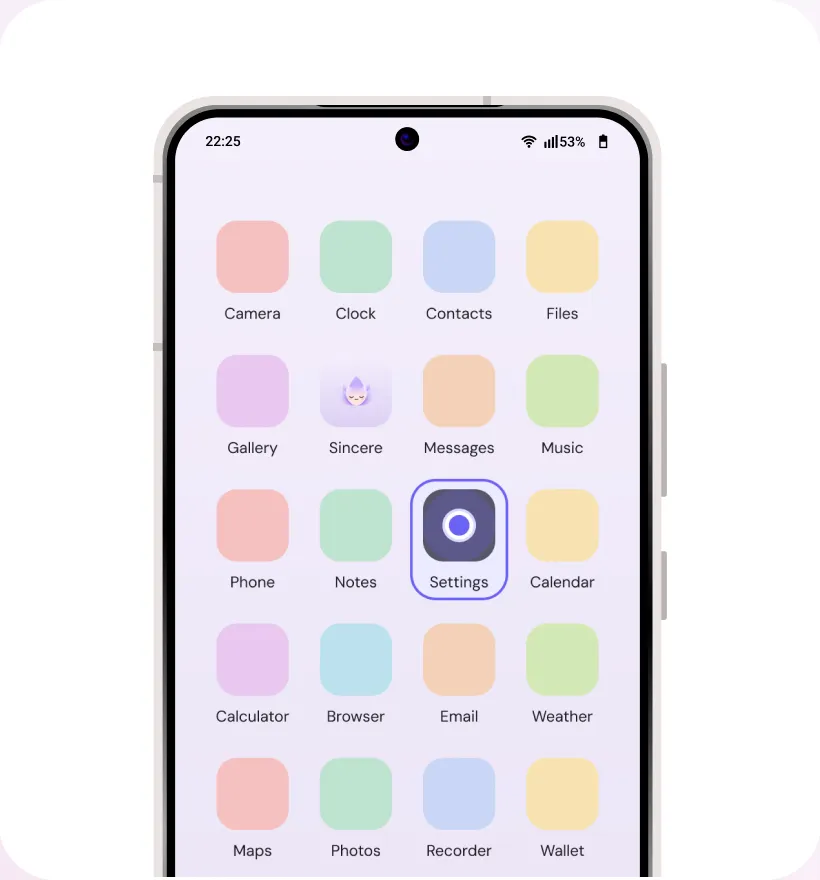
Step 1
Find and open “Settings” app on your device
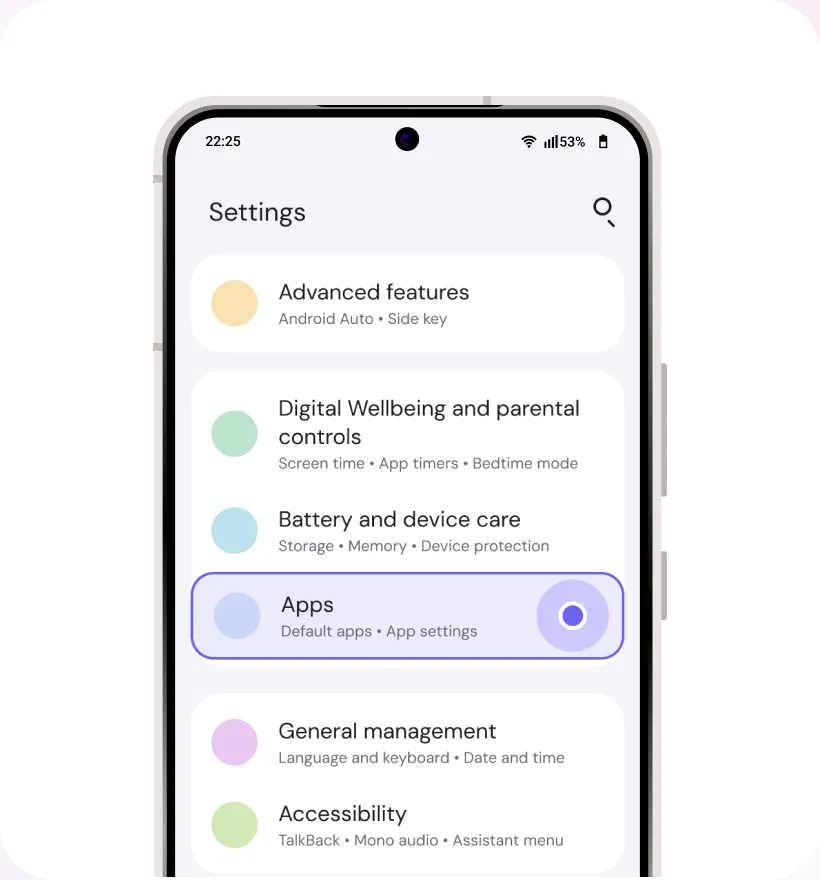
Step 2
Click on “Apps”
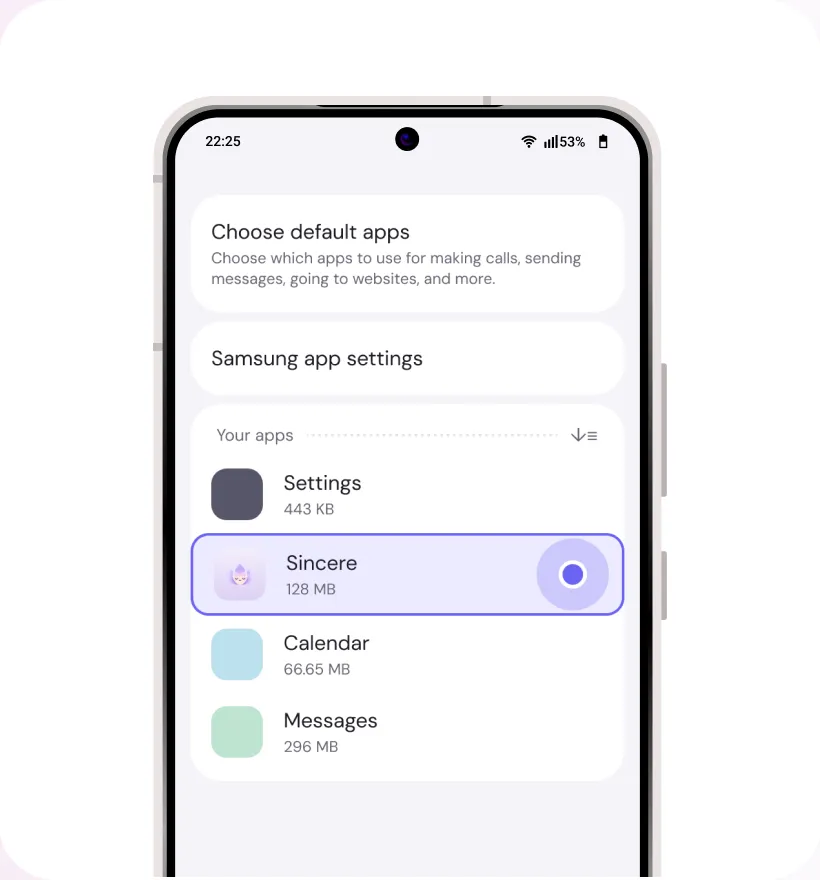
Step 3
Click on “Sincere”
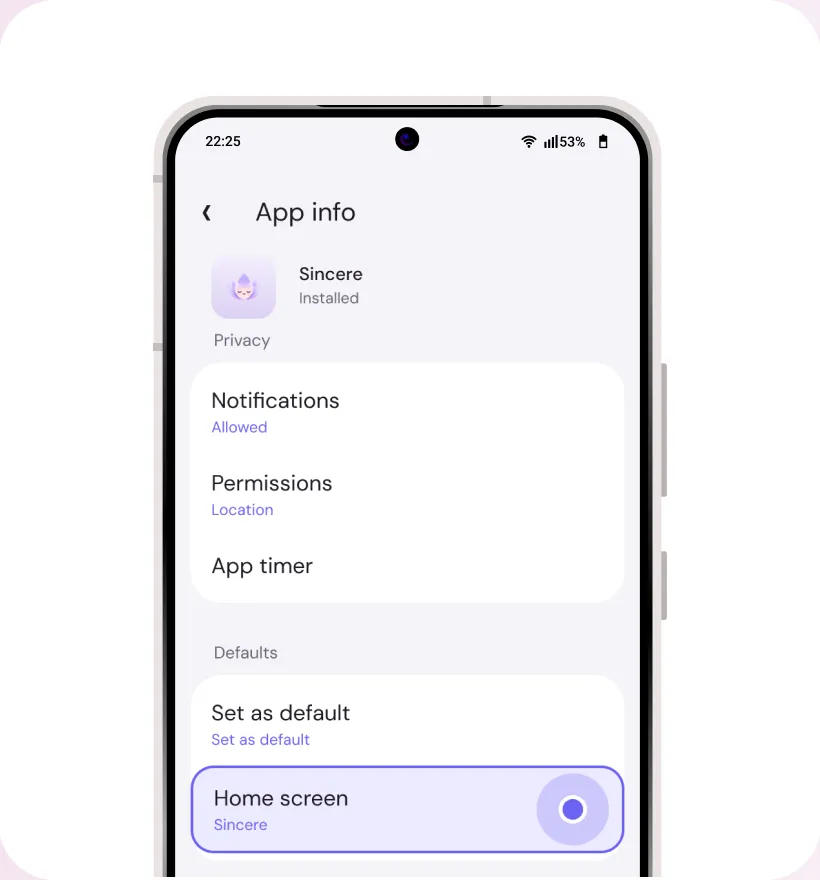
Step 4
Click on “Home Screen”
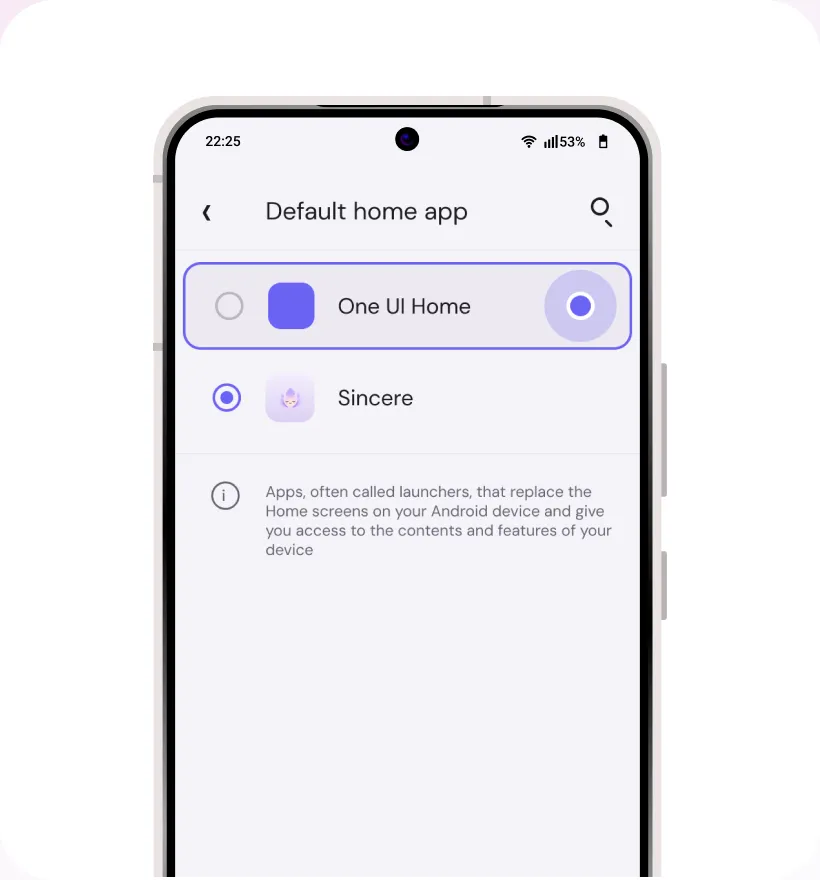
Step 5
Select an alternate app as your Home app
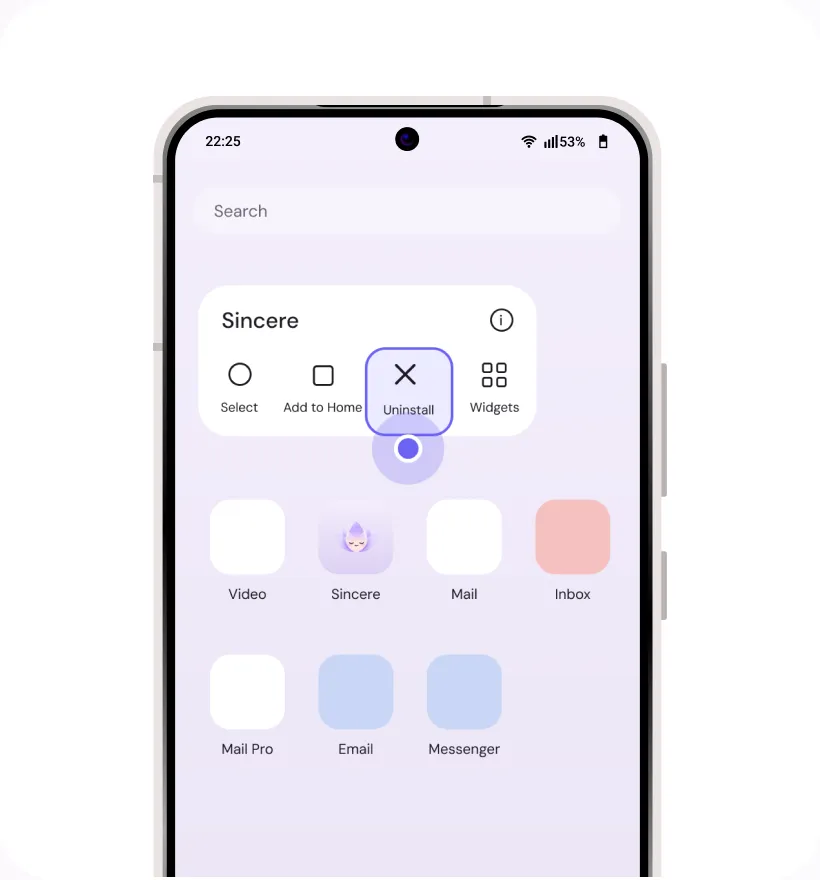
Step 6
On the app-drawer, long-press on the app and select “Uninstall”
Motorola
Step 1
Find and open “Settings” app on your device
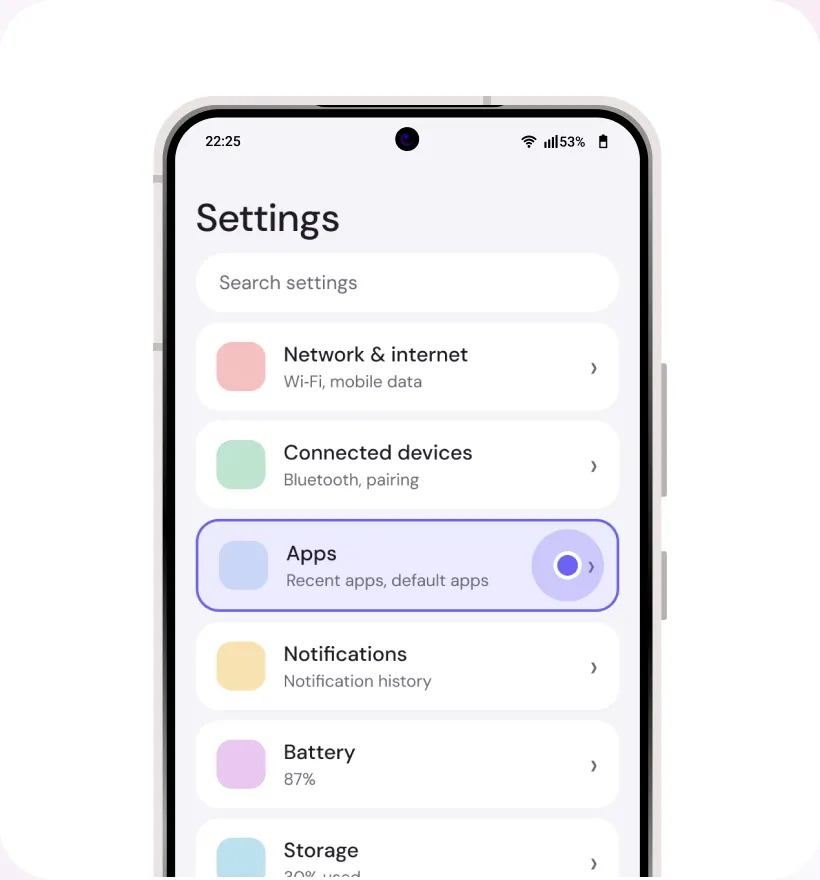
Step 2
Click on “Apps”
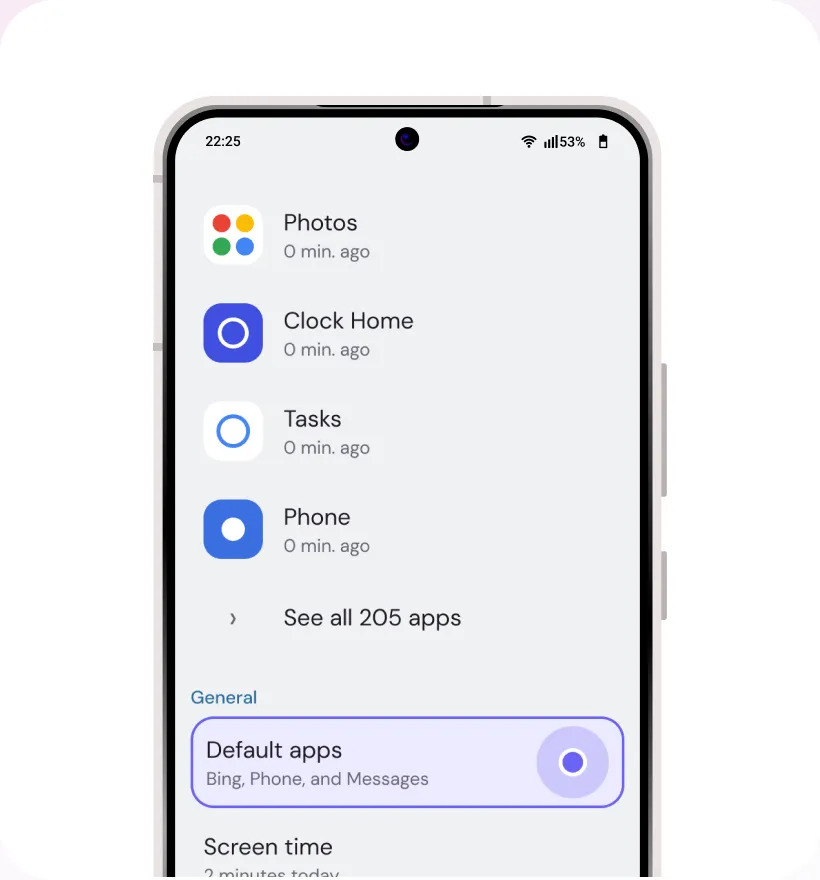
Step 3
Click on “Default Apps”
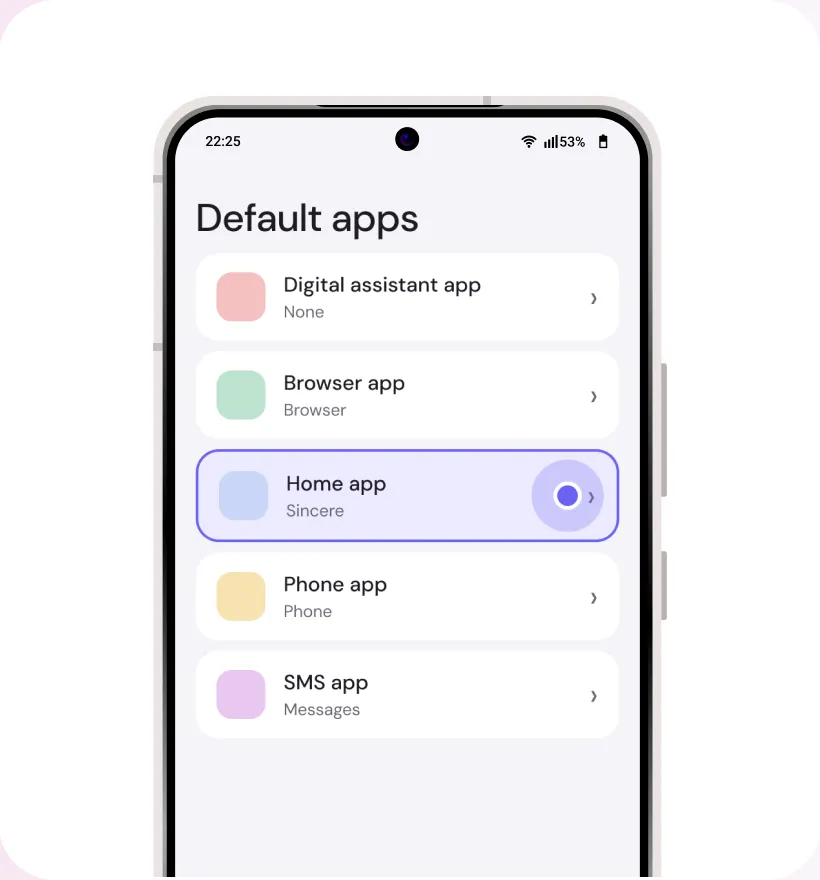
Step 4
Click on “Home App”
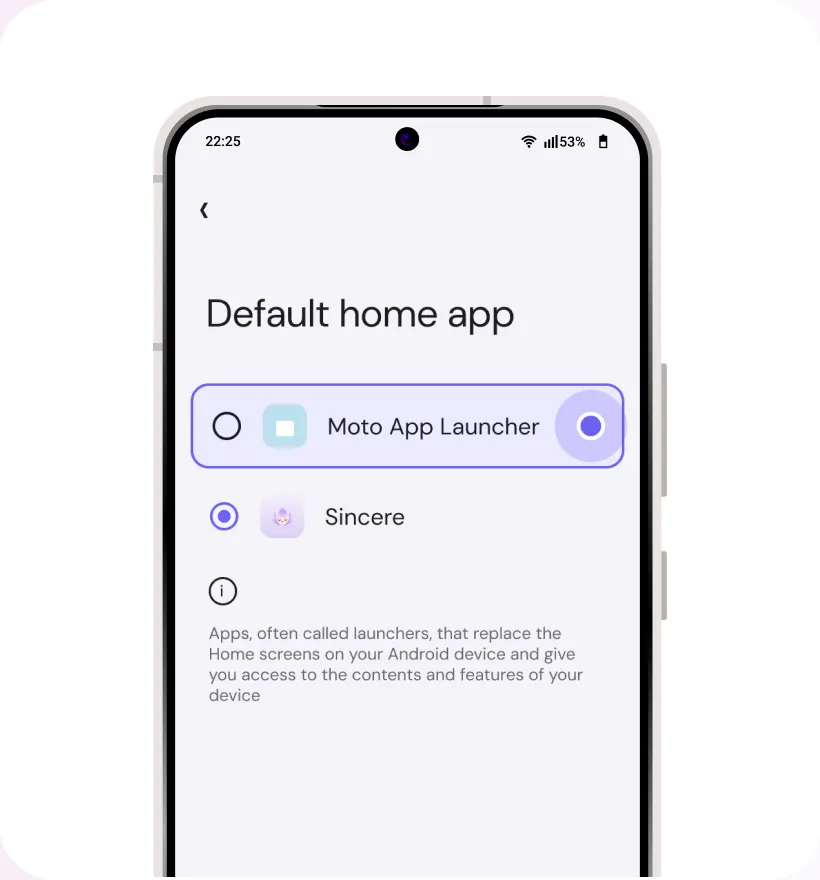
Step 5
Select an alternate app as your Home app
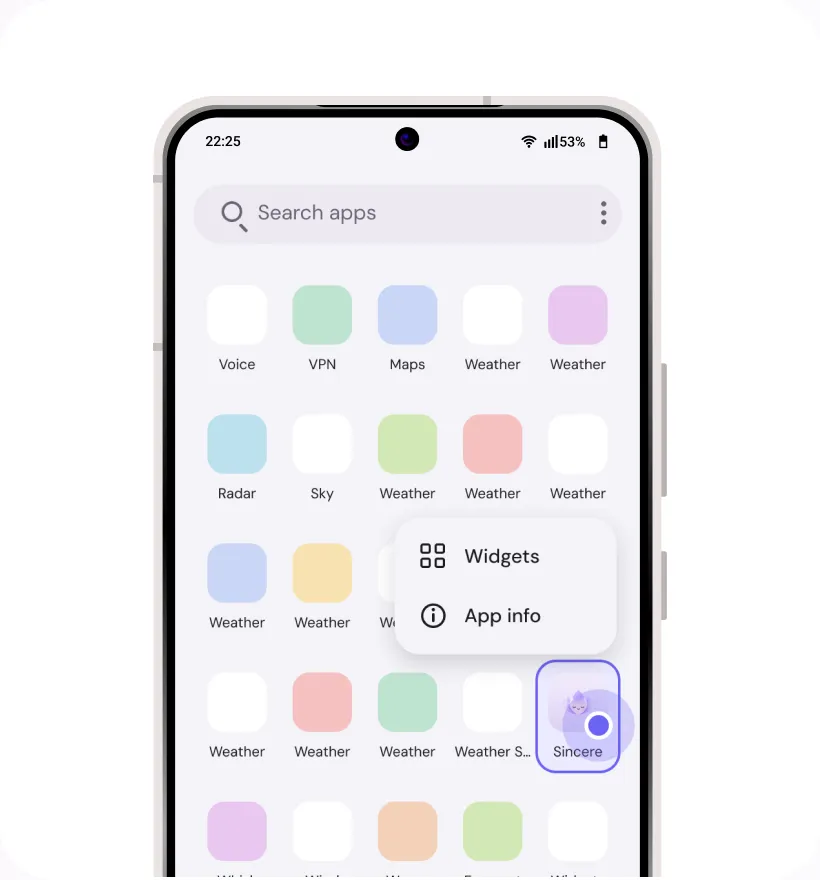
Step 6
Close “Settings” and find “Sincere” on your home screen or app drawer.
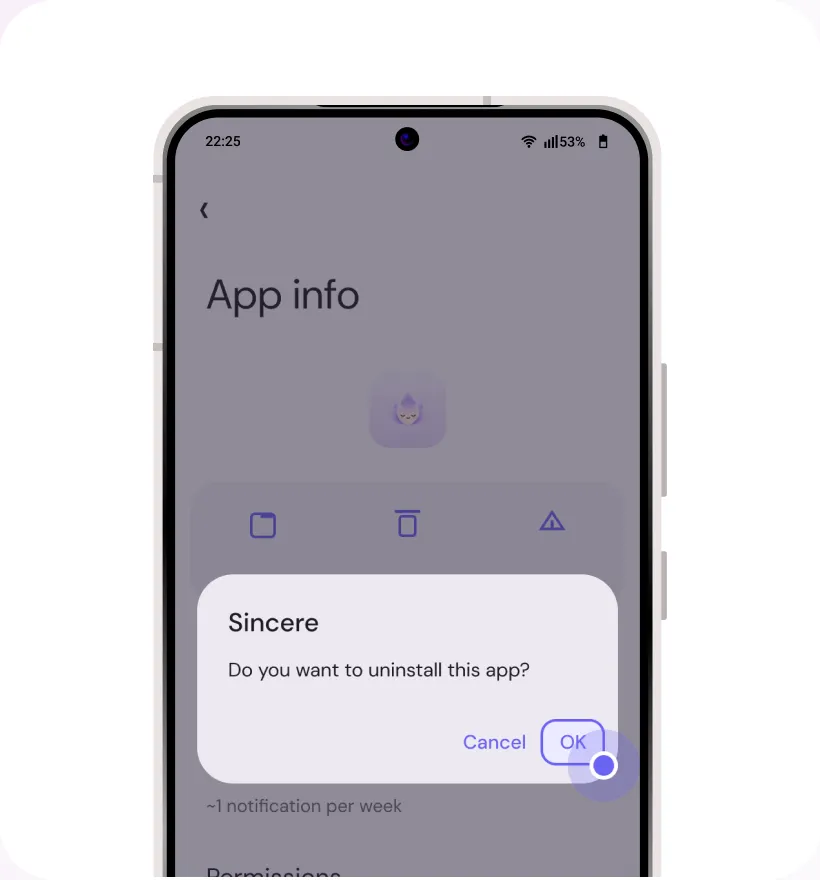
Step 7
Long press “Sincere” icon. Select ‘App Info’ and then select “Uninstall”.
LG
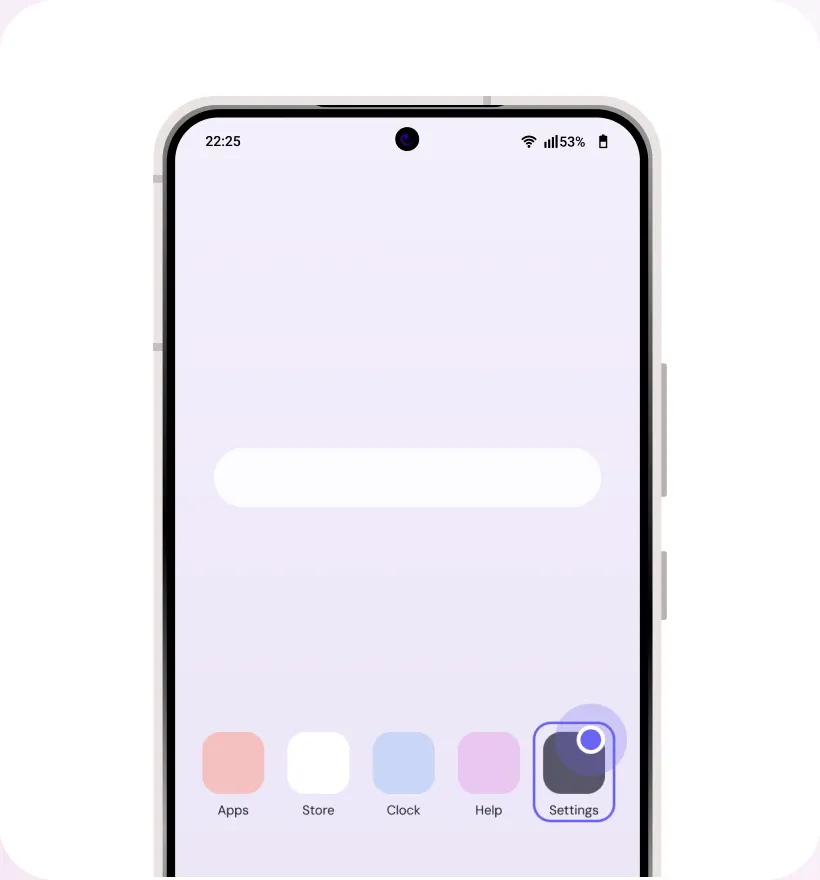
Step 1
Find and open “Settings” app on your device
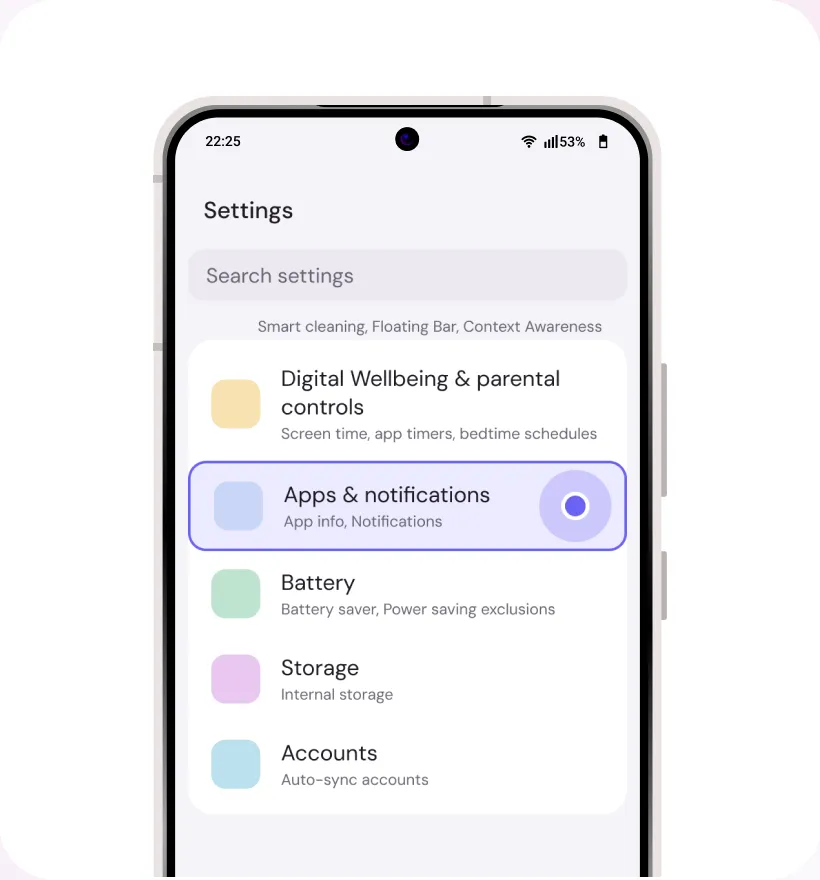
Step 2
Click on “Apps”
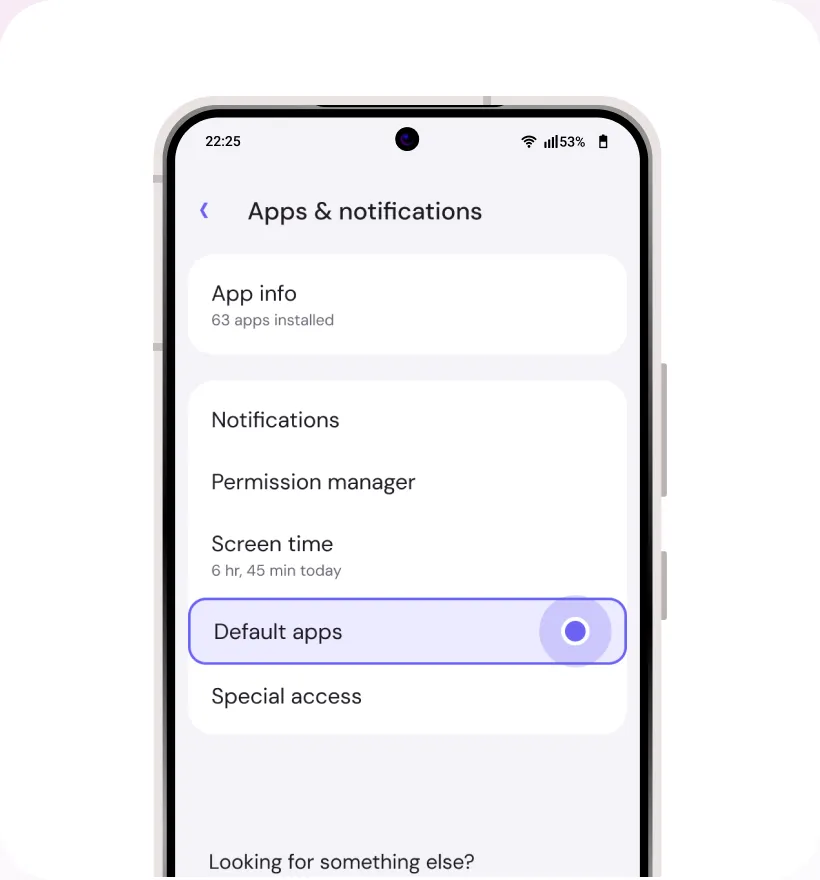
Step 3
Click on “Default Apps”
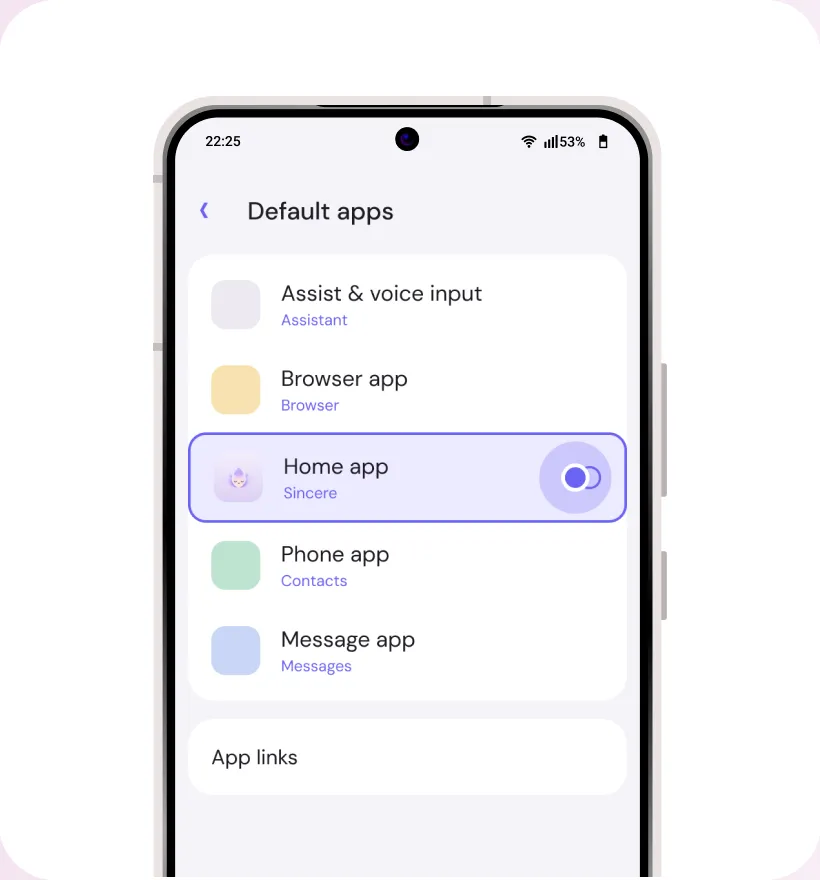
Step 4
Click on “Home app”
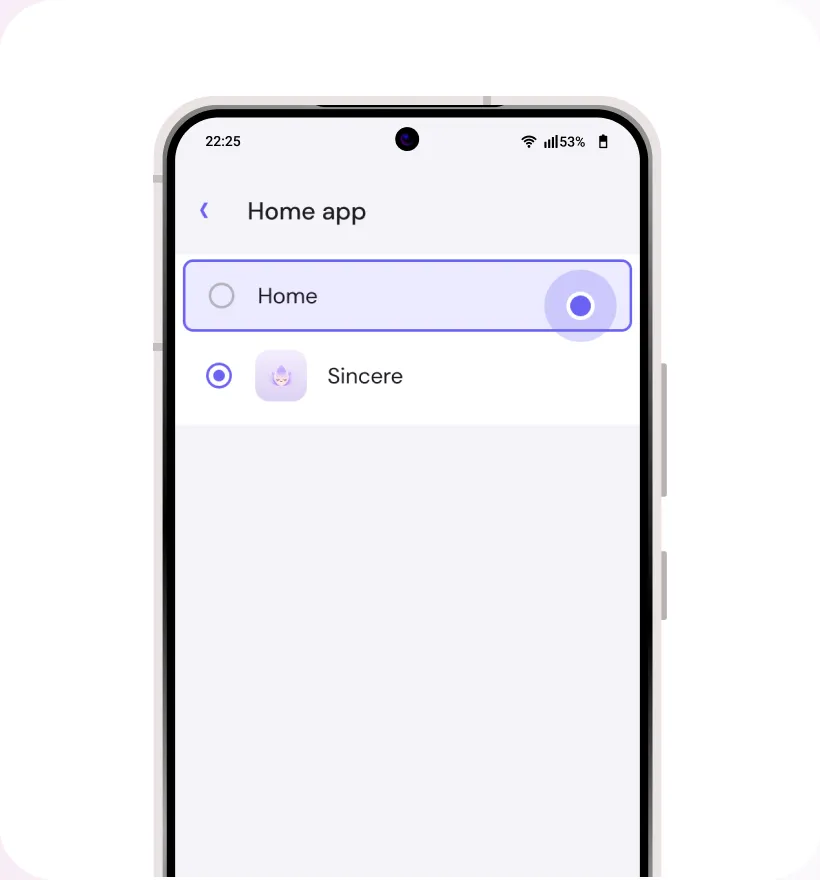
Step 5
Select an alternate app as your Home app
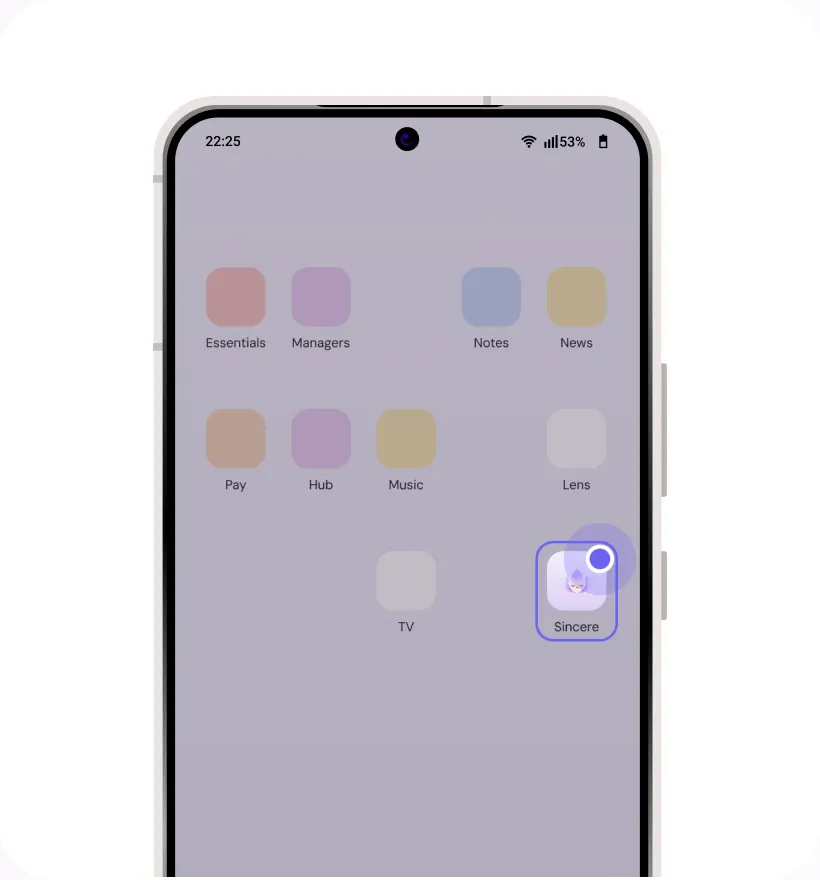
Step 6
Close “Settings” and find “Sincere” on your home screen or app drawer.
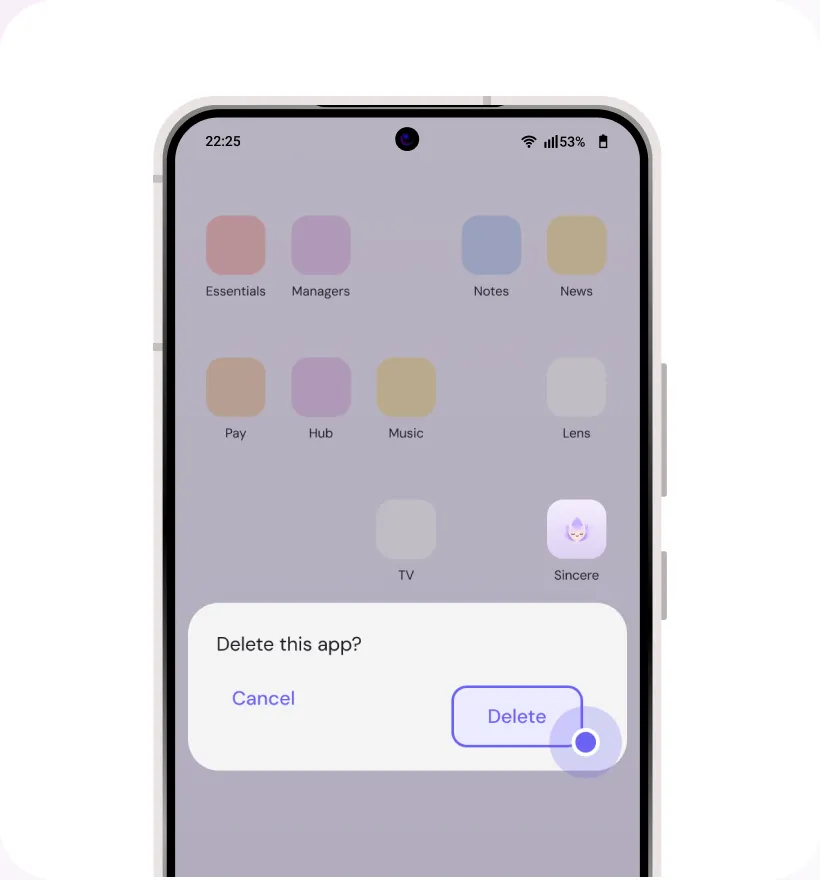
Step 7
Long press “Sincere” icon. Select ‘App Info’ and then select “Uninstall”.
Google Play is a trademark of Google LLC. All other third-party names (including company and service names), graphics and logos used here are trademarks or registered trademarks of such third parties. Use of them here does not imply any affiliation with or endorsement by their respective holders.