
How-to guide
Change search engine
Follow the instructions below to change the search engine on your device:
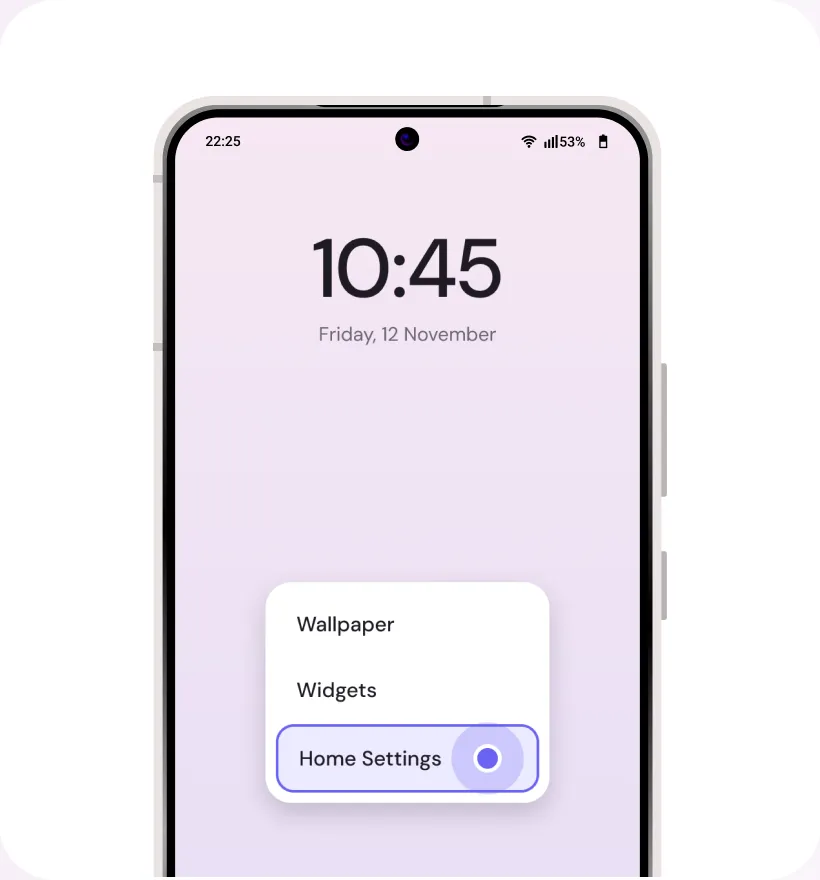
Step 1
Long-press anywhere on the home screen & select ‘Home Settings’
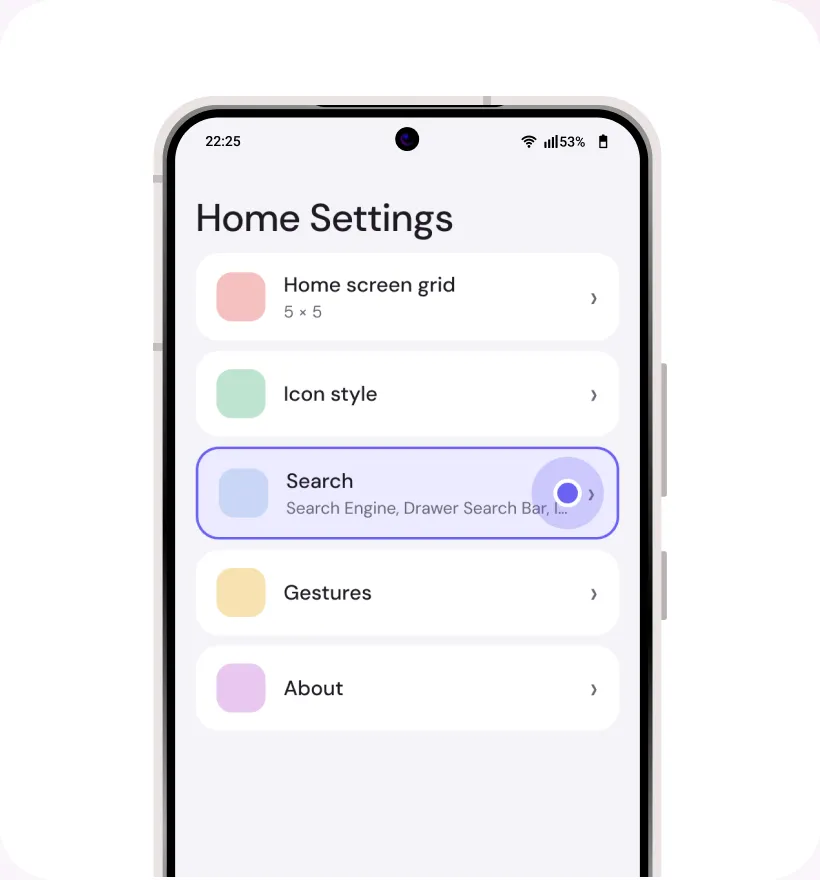
Step 2
Under Home Settings, select ‘Search’
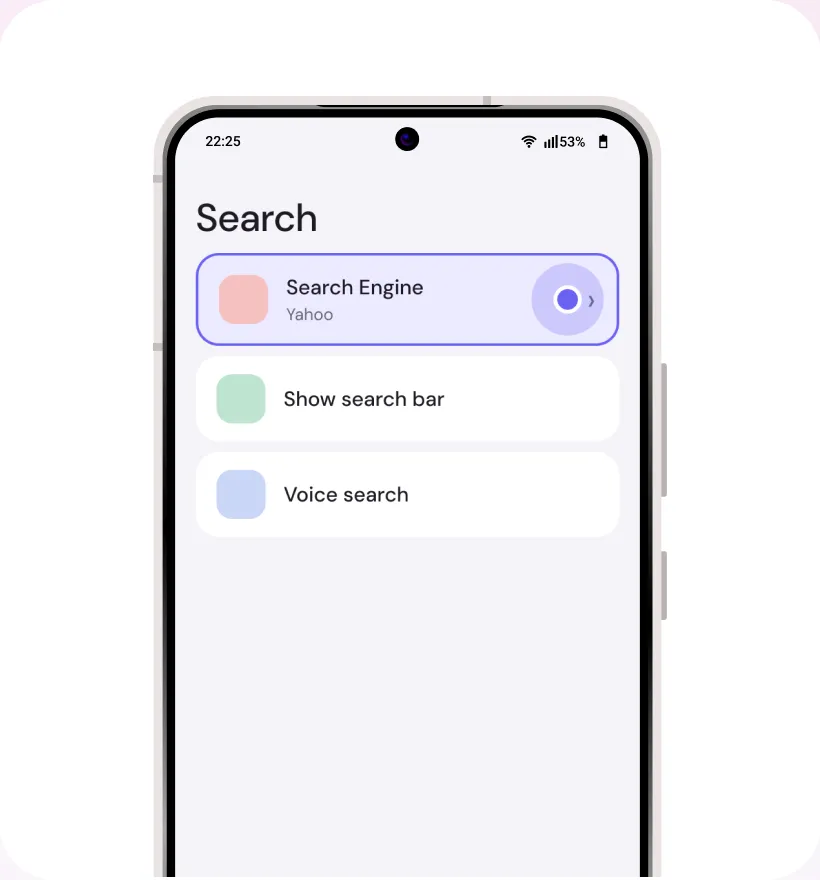
Step 3
Click ‘Search Engine’
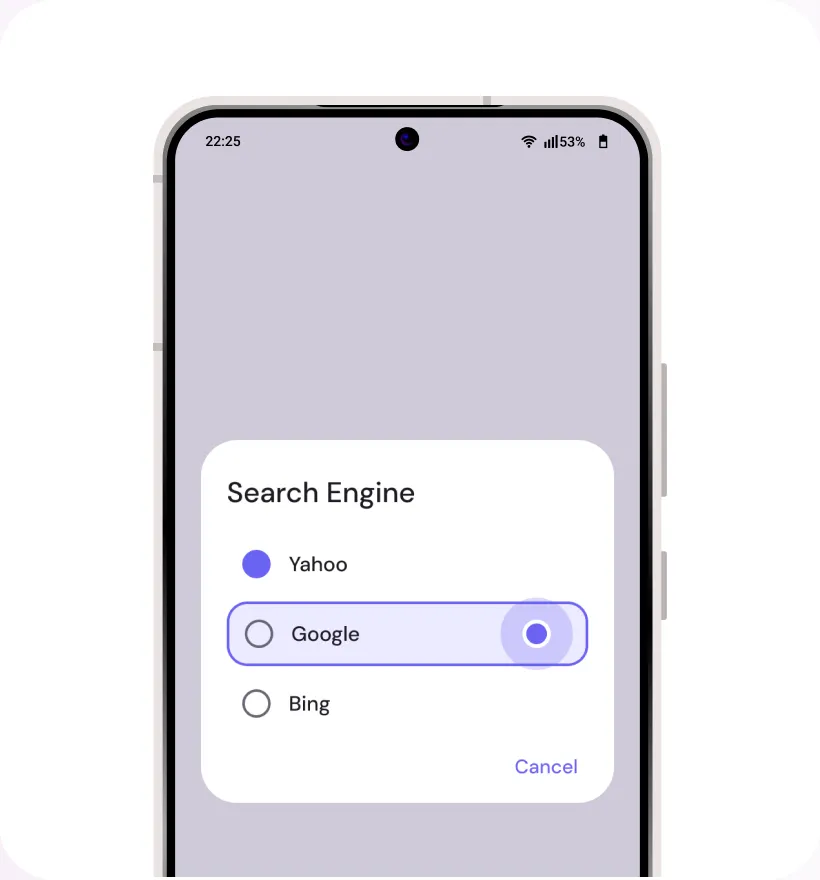
Step 4
Choose your preferred search engine (Yahoo, Google, Bing)
Google Play is a trademark of Google LLC. All other third-party names (including company and service names), graphics and logos used here are trademarks or registered trademarks of such third parties. Use of them here does not imply any affiliation with or endorsement by their respective holders.